The mark you need, per subject
Both pass conditions, not one: the 40% separate end-semester minimum as well as the combined total. Spreadsheets miss the first, which is how a subject that “looked passed” comes back as a supplementary.
Three ways into one record — your semester, your attendance, and Tex, which answers in your own words and shows the working. If your college runs etlab, it works for you.
Free for students, forever — written into the licence.
Your record is a file on your own machine, and no account is needed
to use any of it — except Tex, whose sign-in is capped while
it is in testing.
RegulationR 7.5.ii
Under Regulations 2024, attendance is not only an eligibility gate — it is a scored component of your internal marks, worth up to 5 of them, in every subject, in bands. Full marks start at 85%.
So a student sitting comfortably above the 75% line is still forfeiting marks, in every subject, quietly, all semester. No portal shows this. Nothing else computes it. It is the single largest number most students never see.
What itdoes
Both pass conditions, not one: the 40% separate end-semester minimum as well as the combined total. Spreadsheets miss the first, which is how a subject that “looked passed” comes back as a supplementary.
Computed from real attended-over-held counts, with duty leave credited the way R 6.3.ii actually caps it — at 10% of classes held, which grows as you spend it. Answered as a number of classes, not a percentage.
Name a target. TargetX works backwards to the SGPA each remaining semester has to carry, then to which subject is cheapest to push and how far — balanced so the plan is one a person can actually attempt, rather than four subjects at 95.
Sign in to your college’s etlab portal and it pulls every semester, attendance, series marks, grades and published SGPA in one pass. Your password is used for that one request and never stored — or skip it entirely and type things in by hand.
It ships set to Regulations 2024, checked against the document rather than copied from another calculator. But the numbers are not welded in: the grade bands, the pass mark, the separate exam minimum, the attendance you need and what attendance is worth all live in a profile you can copy and edit. If you are at an autonomous college, set yours once and every figure after that is computed against your rules. The built-in profile is marked checked; one you have edited is marked not checked, everywhere it appears.
And a profile travels. Whoever reads the regulations once exports theirs and hands the text to the rest of your course. It carries rules and nothing else — no marks, no attendance, no name — and it cannot arrive claiming to be checked, because that flag is never read off a file. You get the numbers, and you get to know who sent them.
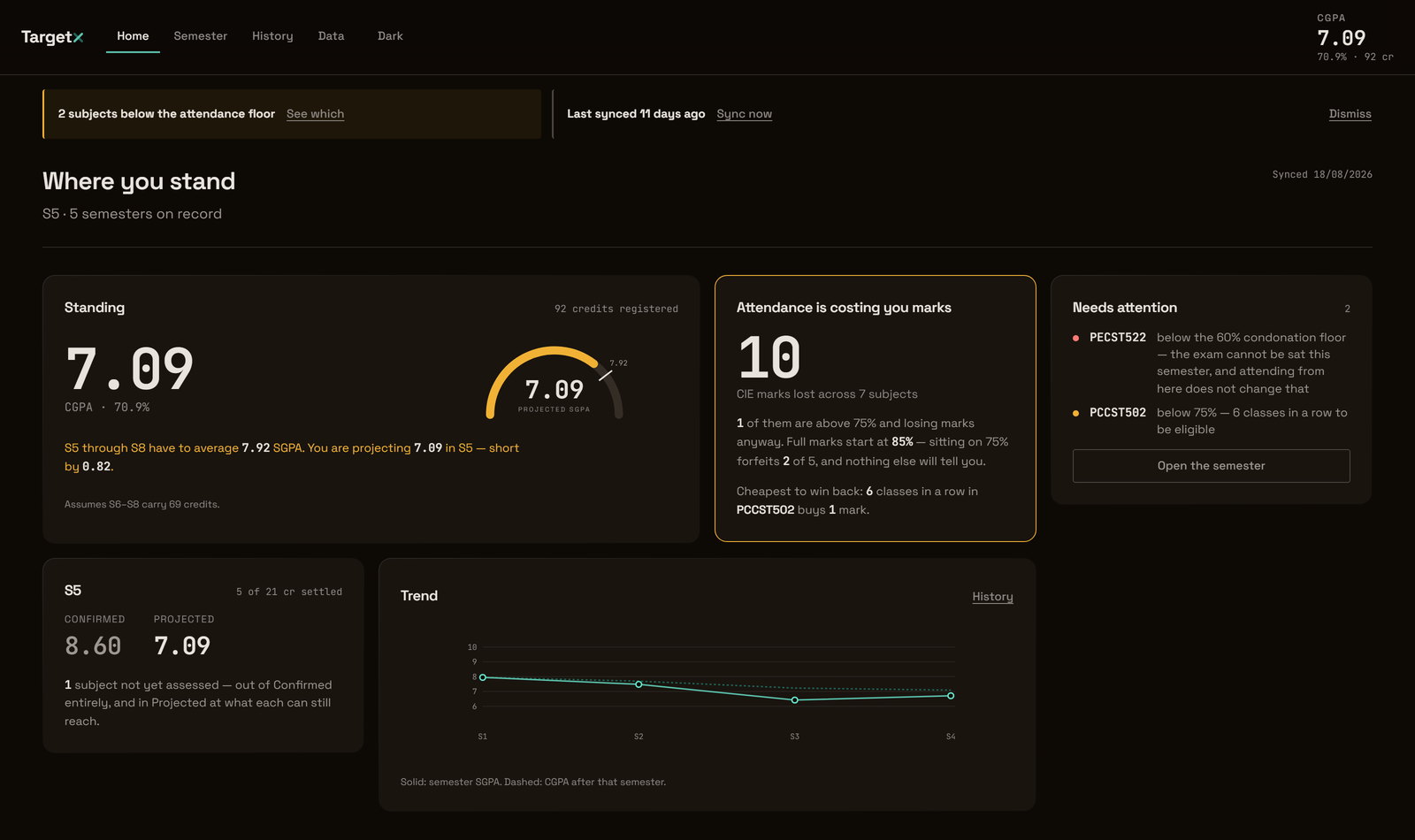
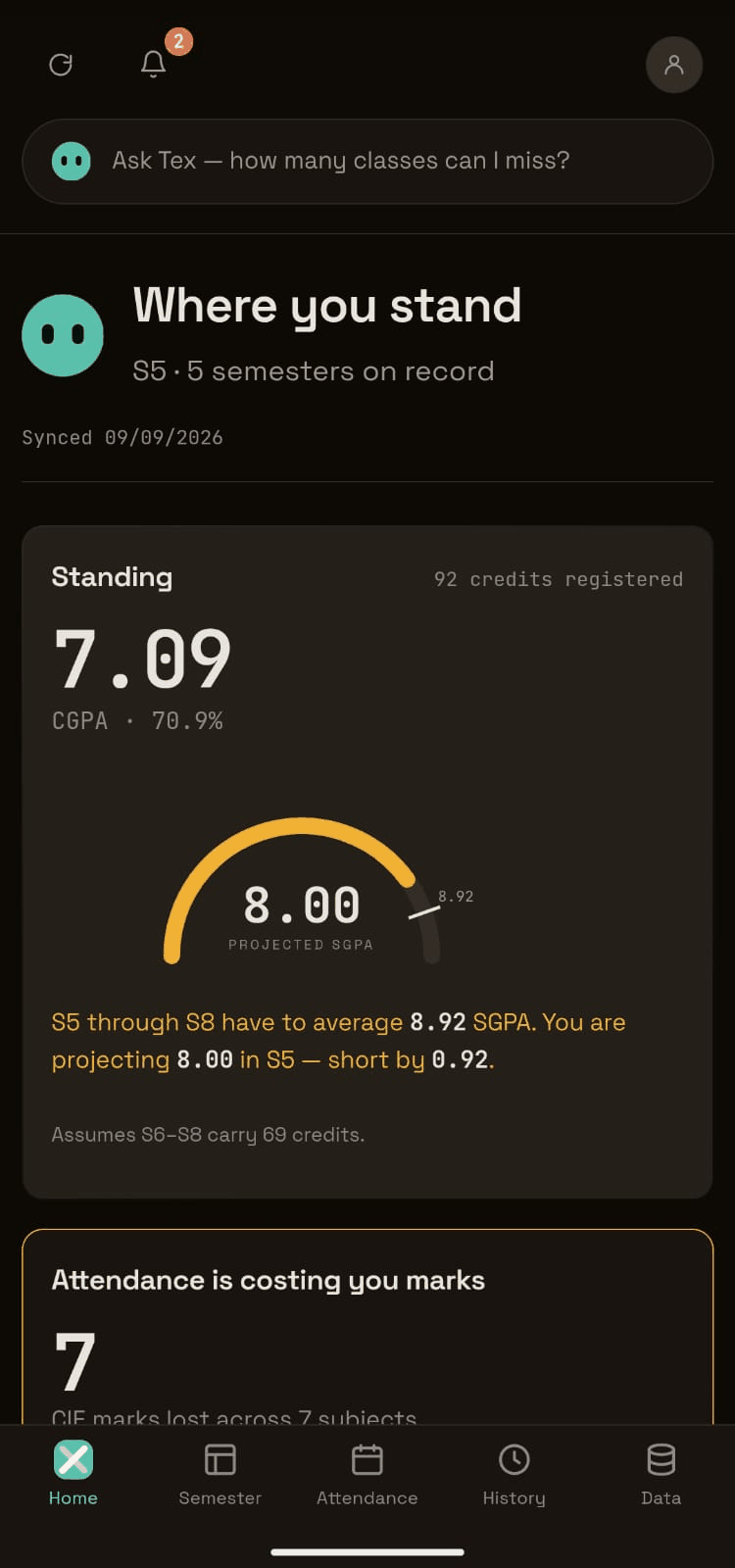
The same record on a phone, same engine underneath — one arithmetic, not a cut-down second version of it. The Android build is out. It is an .apk in the table below, sideloaded rather than from Play — the notice under the table says what your phone will ask you first.
A note fromRishi
I was sitting at 76% attendance and thought I was fine. Everyone says 75 is the line. Then I actually read Regulations 2024 and found R 7.5.ii — attendance is not only the eligibility gate, it is worth five internal marks, in bands. At 76% I had already given away two of them. In every subject. All semester. And nothing had told me: not the portal, not any of the calculators, nobody.
That annoyed me enough to build this. Then it turned into a thousand tests, because once you are the thing telling people what they need to score, being approximately right is not good enough.
This release, 0.5.0, is the last one built on etlab sync. Not because it broke — it works better than it ever has. Your college’s rules can now be written once and passed to everyone else on your course, Tex answers you properly instead of silently jumping you to a screen, and the things students reported are fixed in it.
The real reason is harder to say out loud. To keep working on this I would need someone to pay for it, and the only people who could are colleges — and no college is ever going to buy software that logs into their portal with their students’ passwords. They would be right to refuse. I would refuse. On top of that, the whole thing can be switched off on any ordinary afternoon by someone at etlab who has never heard of me, and there would be nothing I could do about it. That is not a foundation. I would rather say so than let the repo go quiet and have you work it out yourselves.
And honestly, the questions I have started caring about are on the other side of that wall anyway. Which students are about to lose exam eligibility, while there is still time to fix it. What a whole class is struggling with, not just me. Whether the internal marks a college submits to KTU are even correct. None of that is reachable from one student’s login, and all of it matters more than a number on my own screen.
So I am going to go and build that properly — with a college’s own data, and its own permission, instead of around it. The regulation engine underneath this app is the part that took longest and is tested hardest, and it is the part that comes with me.
I wanted to know what I needed to score, and the portal would not
tell me. That question is answered now, and the answer is yours to
keep.
— Rishi, still a KTU student, still checking his own attendance
in this thing
Getthe app
A desktop app — Windows, macOS and Linux. It installs for your user account only, so it needs no administrator rights, and it runs entirely offline apart from the portal you point it at.
Recommended for you
Windows · installer
| Platform | File | Size | Download |
|---|---|---|---|
| Windows | .exe installer, and .msi for deployment unsigned | — | Releases |
| macOS | .dmg, universal not notarised | — | Releases |
| Linux | .AppImage and .deb | — | Releases |
| Android | .apk, phones and tablets sideloaded | 27 MB | Releases |
Termux can print the same figure for the file you
downloaded. The app is signed with a 4096-bit key held by the person
who wrote it, which is what lets your phone confirm that a later
update came from the same place — and is why an update signed
by anyone else will be refused rather than quietly installed.
SHA256SUMS-<platform>.txt beside the installers, so
you can check that what you downloaded is what was built. In
PowerShell:
Get-FileHash .\TargetX_<version>_x64-setup.exe -Algorithm SHA256
A certificate is on the list. A checksum proves the file did not
change in transit, not who built it — it is not a substitute, and this
page will say so until one is bought.
xattr -dr com.apple.quarantine /Applications/TargetX.app
Check the SHA-256 above first. Running that command on software you
have not verified is exactly how the protection is meant to be used
against you, and it is worth being suspicious of any page that tells
you to type it — including this one.
Where yourdata lives
Your marks are a file in your own user profile. Nothing about them is transmitted anywhere, and there is no telemetry, no analytics and no crash reporting — the app makes network requests to exactly four places, and the fourth only if you choose to sign in:
Forcolleges
TargetX is licensed under BUSL-1.1, and the right of an individual student to use it free, forever, is written into the licence rather than offered as a policy that could be withdrawn. Deploying it across an institution is a commercial use.
Somethingwrong?
TargetX has been proved against one college’s portal and one set of regulations read carefully. Neither of those is the same as being right everywhere. If a figure it shows you disagrees with what your college recorded, the college is right and this is a defect — and it is one worth knowing about, because the same arithmetic runs for everyone.
Report a problem
GitHub issues
Questions and “will this work at my college?” belong in discussions rather than issues. Security problems should not be filed in public at all — use GitHub’s private advisory form, which is only visible to the maintainer.